Since 2003 · Updated September 2026 · iPhone Pro camera protectors
Camera × iPhone Pro · Canada · 2026

iPhone Pro lens protectors: cover the LiDAR scanner and the camera quietly gets worse

A lens protector for a standard iPhone is a simple purchase. On a Pro it is not, because the module contains a sensor the standard phones do not have — and covering it produces a fault that is easy to blame on something else.

iPhone Pro lensesCanada
6 verified productswww.amazon.ca
Why this page exists: On a standard iPhone, any well-cut lens protector works. Pro models add a LiDAR scanner whose obstruction degrades focus and depth in ways that look like a general camera fault.
The inversion

The Pro module contains a sensor, not just lenses

Standard iPhones have two rear lenses. Pro models have three, plus a LiDAR scanner — a small sensor that fires infrared points and times their return to build a depth map of the scene.

LiDAR is not decorative. It is used for fast, accurate autofocus in low light, for depth capture in portrait photography, for Night mode focusing, and for augmented-reality applications.

Here is what makes this different from a normal fit problem: a protector that covers or partly obscures the LiDAR window does not produce an obvious blockage. It produces autofocus that hunts in dim rooms, portrait cutouts that go ragged at the edges, and Night mode that takes longer to lock. Those read as "the camera has got worse since the update" rather than "there is something stuck over a sensor", so the actual cause frequently goes unnoticed for months.

What to check

Cutouts, and why year and tier both matter

The camera module layout differs between the standard and Pro versions of the same year, and between years within the Pro line. A protector sold as fitting "iPhone Pro" without naming a generation should be treated with suspicion.

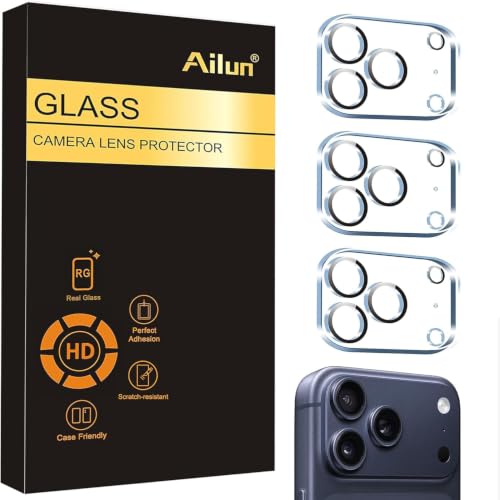
Before fitting, hold the protector over the module and confirm three things by eye: every lens has a clear opening, the LiDAR window is uncovered, and the flash is uncovered. The flash matters for a separate reason — covered flash reflects off the inner glass surface straight back into the lens and washes out the whole frame, which is at least an obvious failure rather than a subtle one.

Should you fit one at all

The Pro case is finer-balanced than the standard case

The general argument in our camera lens protector guide applies here too: an extra glass surface adds flare and ghosting around bright points at night, and a raised-lip case solves the common scratch scenario without touching the optical path.

On a Pro that argument is stronger, not weaker. Pro buyers are more likely to shoot in low light, use Night mode, and care about portrait edge quality — which are exactly the things both the flare and the LiDAR obstruction degrade. Meanwhile the module is larger and stands further proud, so the scratch risk is genuinely higher too.

Our position: on a Pro, fit one only if your environment is genuinely abrasive — sand, sites, grit in a bag — and if you do, pay for an anti-reflective coated version with a verified LiDAR cutout. Otherwise a case with a raised lip is the better answer.

At a glance

Standard iPhone vs Pro

Standard iPhoneiPhone Pro
Rear lensesTwoThree
LiDAR scannerNoYes — needs its own cutout
Symptom if coveredn/aHunting autofocus, ragged portrait edges, slow Night mode
Coating worth paying forIf you shoot at nightYes — Pro users shoot low-light more
Better defaultProtector or raised-lip caseRaised-lip case, unless abrasive environment
Checked against Amazon.ca

Options that fit the advice above

Prices change daily, so the price and availability that count are always the ones shown on Amazon once you follow the link. Each item was checked individually against Amazon.ca before publication — but read the guidance above first, because on this page the right answer is sometimes to buy nothing.

Affiliate disclosure: As an Amazon Associate, Screen-Protectors.com earns from qualifying purchases. It costs you nothing extra and does not influence the order or the content of our recommendations.
Other specifics

More device-specific guidance

FAQ

Frequently asked questions

What happens if a lens protector covers the LiDAR scanner?

Autofocus hunts in low light, Night mode takes longer to lock, and portrait depth edges become ragged. Because none of that looks like a blockage, people often blame a software update instead of checking the protector.

Do standard iPhones have LiDAR?

No. It is a Pro feature, which is why a protector that works fine on a standard iPhone can cause problems on a Pro of the same year. Always buy for the exact model and tier.

Can I use last year's Pro lens protector on this year's Pro?

Check before assuming. The camera module layout changes between generations as well as between tiers, and a protector that misaligns by a small amount can partly obscure the LiDAR window or the flash.

Should I fit a lens protector to an iPhone Pro at all?

Only if your environment is genuinely abrasive. Pro owners tend to shoot more low-light and portrait work, which is exactly what added flare and any LiDAR obstruction degrade. A case with a raised lip is usually the better choice.