Removal is easy when the protector is intact and fiddly when it is shattered. Both are worth doing slowly.
The short answer. Warm the protector slightly, lift one corner with something thin and blunt — a plastic card, a guitar pick, dental floss or the tab many packs include — and pull slowly and flat, not upward. Clean any adhesive residue with isopropyl alcohol on a microfibre cloth. If the glass is cracked, tape over it first so it comes away in one piece. Never peel the factory film from a foldable inner screen: that one is part of the display.
A cracked protector sheds slivers, so contain it before you lift anything. Cover the whole face with clear packing tape or masking tape; the pieces stay stuck to the tape and come away together. Work from the corner furthest from the crack, and wear something on your fingers if the edges are sharp.
If a piece stays behind, re-tape it rather than picking at it with a nail. And a cracked protector means it did its job — it is a consumable, so replace it rather than running on without one.
Most of the time nothing is left. When adhesive stays behind, put a little isopropyl alcohol on a microfibre cloth — never directly on the phone — and work it gently. Residue near the earpiece and edges is where liquid is most likely to creep in, so keep the cloth barely damp.
Avoid washing-up liquid, acetone, nail polish remover and abrasive pads: they attack the oleophobic coating on the display glass, which is the thing that makes fingerprints wipe off. Let it dry fully before fitting a new protector, and fit the new one in a bathroom just after a shower if dust is a problem.
Foldables ship with a film bonded to the inner display as part of the panel, not as packaging. Peeling it damages the screen and is not covered as wear and tear. If it lifts or bubbles at the crease, that is a conversation with the manufacturer.
More on that in our foldable guide and inner screen film page.
This is the moment to clean properly: the wipe in the box, then the dry cloth, then the dust sticker for anything left. Most bad installs are dust, not alignment. If your phone has an under-display fingerprint sensor, delete your saved fingerprints and enrol them again once the new protector is on — see our installation guide.
Prices change daily, so the price and availability that count are always the ones shown on Amazon once you follow the link. Each product below was checked as sold on Amazon.com on 28 September 2026.

HPTech Screen Protector for Apple iPhone 11/XR 6.1 inch Tempered Glass
View on Amazon →
daydayup 4-Pack Screen Protector Tempered Glass for Nintendo Switch 2…
View on Amazon →
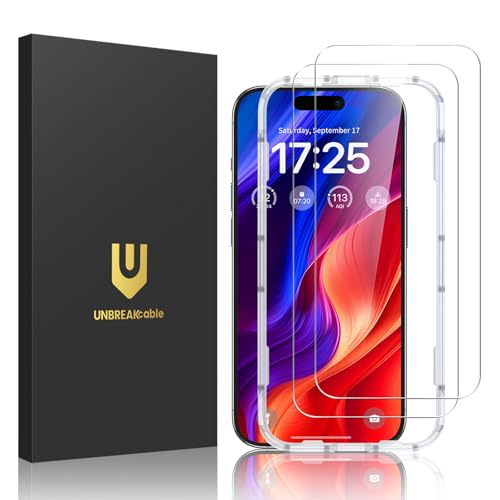
UNBREAKcable 2-Pack Screen Protector for iPhone 16 Tempered Glass
View on Amazon →
UNBREAKcable 2-Pack Screen Protector for iPhone 17 Tempered Glass
View on Amazon →
UNBREAKcable 2-Pack Screen Protector for iPhone 17 Pro, Double…
View on Amazon →
Supershieldz Designed for Samsung Galaxy A36 5G / A37 5G Tempered Glass…
View on Amazon →Warm it for 15–30 seconds with a hairdryer on low, lift one corner with a plastic card, guitar pick or dental floss, and pull slowly at a shallow angle rather than straight up. Work around the edges, not across the middle.
Cover the face with clear packing tape first so the pieces lift together, then start at the corner furthest from the crack. Re-tape any fragment that stays behind instead of picking at it.
Isopropyl alcohol on a microfibre cloth, applied to the cloth and not the phone. Avoid acetone, nail polish remover, washing-up liquid and abrasive pads, which damage the oleophobic coating.
Rarely well. The adhesive picks up dust the moment it is exposed, and a refitted protector usually traps bubbles. Glass protectors in particular are designed as consumables.
No. On a folding inner display the film is part of the panel rather than packaging, and peeling it damages the screen.
Not if you work slowly with something blunt and non-metallic. The risks are scratching the display with a metal tool, and letting liquid run into the earpiece or edges while cleaning.